How Blockchain Features Improve Security | Blockchain Guide
Bitcoin made blockchain famous but blockchain is bigger than crypto. It changes how we store and share data old systems...
Gadgets & Technologies Are Together
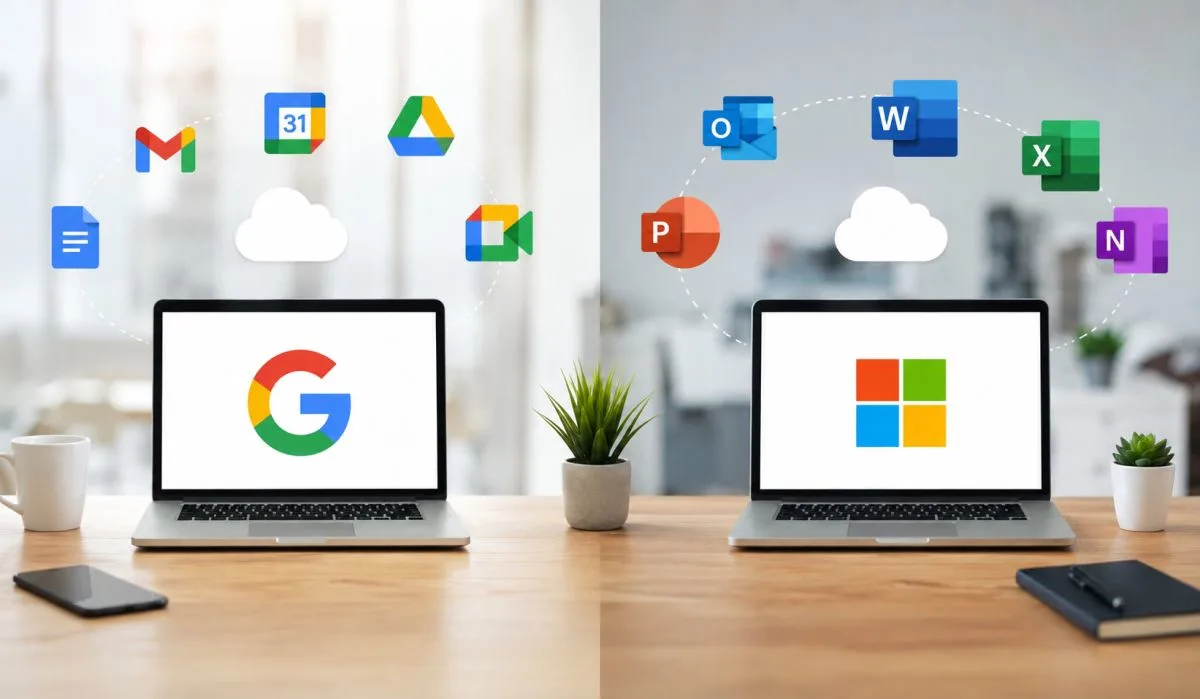
Picking between Google Workspace and Microsoft 365 is not easy. Both are powerful. Both have millions of users. But they work very differently. One is built for the cloud. The other started on the desktop. Your choice changes how your team works every day.
This guide breaks down Google Workspace features vs Microsoft 365 across the things that matter: pricing, apps, collaboration, security, and AI. No fluff. Just a clear comparison to help you decide.
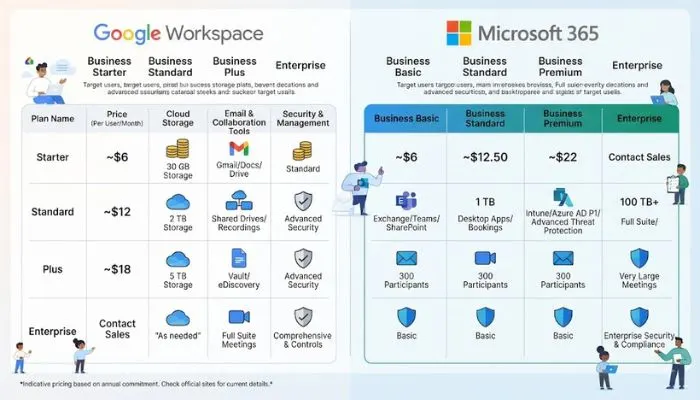
Both platforms have similar starting prices, but the value changes as you move up tiers .
| Plan | Price | Storage | Key Features |
|---|---|---|---|
| Business Starter | $7 | 30 GB pooled | Gmail, Meet (100 participants) |
| Business Standard | $14 | 2 TB pooled | Meeting recording, 150 participants |
| Business Plus | $22 | 5 TB pooled | eDiscovery, audit logs |
| Enterprise | Custom | Unlimited | Advanced security, DLP |
| Plan | Price | Storage | Key Features |
|---|---|---|---|
| Business Basic | $6 | 1 TB per user | Web/mobile apps only, Teams |
| Business Standard | $12.50 | 1 TB per user | Full desktop apps |
| Business Premium | $22 | 1 TB per user | Advanced security, Intune |
| Enterprise E3 | $36 | Unlimited | Compliance, advanced eDiscovery |
Key takeaway: Microsoft Business Basic is slightly cheaper at $6, but Google gives you more storage at mid-tier plans (2 TB vs 1 TB) . The cost difference is usually under $2 per user per month at similar tiers.
Read More: Best Antivirus Software Features Guide for Windows 2026
This is where the two platforms really split .
Google is cloud-first. Everything runs in your browser . You get Gmail for email, Google Drive for storage, and Docs, Sheets, and Slides for documents. No installation needed. No manual updates. Just open a browser and start working.
Google Workspace was built for real-time collaboration from day one. Multiple people can edit the same document, and you see their changes instantly . This makes it incredibly smooth for remote teams.
Microsoft gives you powerful desktop apps. Word, Excel, and PowerPoint have been industry standards for decades . These apps are more feature-rich than their Google counterparts. Excel, in particular, supports advanced formulas, macros, and data modeling that Sheets cannot match .
Microsoft 365 works online and offline. You can work on your files without an internet connection and sync later . This is a big advantage for people who travel or work in areas with poor connectivity.
Key takeaway: Choose Google if you value simplicity and real-time collaboration. Choose Microsoft if you need advanced features, especially in Excel, or prefer desktop apps .
Key takeaway: For file collaboration, Google wins. For large video meetings, Microsoft wins .
Email is where your team spends most of their time. This choice matters .
Gmail is clean, fast, and easy to use . The interface is uncluttered. Search is lightning fast. Google's spam filters are excellent. Gmail also uses Gemini AI to suggest replies and summarize long threads .
Key takeaway: Gmail wins on speed and simplicity. Outlook wins on control and capacity .
Both platforms have added powerful AI assistants .
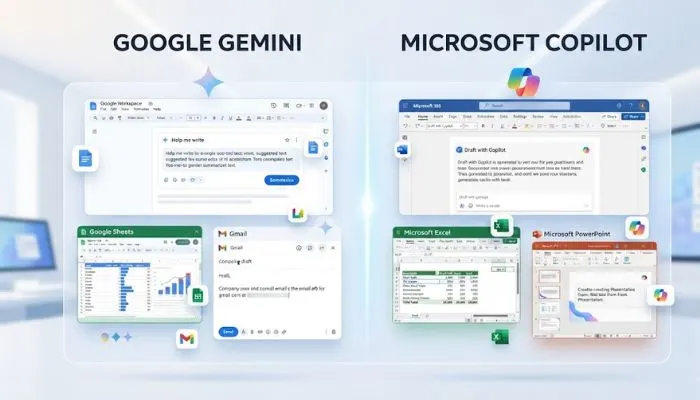
Gemini is included in Google Workspace Business Standard and above at no extra cost . It lives inside Gmail, Docs, Sheets, and Slides. It can draft content, summarize documents, and generate meeting notes .
In our experience, Gemini is especially good at generating first drafts and creating AI-generated summaries .
Microsoft Copilot is more powerful but costs extra. It is a $30 per user per month add-on on eligible Microsoft 365 plans . Copilot integrates across Word, Excel, PowerPoint, Outlook, and Teams .
Copilot is particularly useful in Excel for data analysis and in Word for document drafting. It also uses your organizational data from SharePoint and Teams to generate more relevant responses .
Key takeaway: Google offers better value by including Gemini at no extra cost. Microsoft Copilot may be more powerful for complex tasks but requires an additional license .
You May Also Read: Generative AI Features for Websites in India: Complete Guide
For most organizations, either platform meets baseline security requirements. But for complex enterprise needs, Microsoft pulls ahead .
Key takeaway: Microsoft wins on enterprise security and compliance. Google is catching up but has fewer certifications .
Here is the simple answer.
Both Google Workspace and Microsoft 365 can run your business effectively. The decision comes down to how your team works.
If you are cloud-native and collaboration is your top priority, Google Workspace is the natural fit. It is simpler, more intuitive, and gives you AI for free .
If you need advanced features, especially in Excel, or require enterprise-grade security and compliance, Microsoft 365 is the stronger choice .
The good news is that you can always change later. Pick the one that fits your team today. Both platforms are mature, reliable, and improving fast .
They cost about the same. Google Business Starter is $7 per user per month. Microsoft Business Basic is $6. Google Business Standard is $14 with 2 TB storage. Microsoft Business Standard is $12.50 with 1 TB. Google gives more storage for the price.
Depends on how you work. Google is better if your team collaborates online and wants simplicity. Microsoft is better if you need advanced Excel features or work offline. Both work well. Pick the one that fits your team.
Google includes Gemini for free in Business Standard and above. Microsoft Copilot costs $30 extra per user per month. Copilot is more powerful, especially in Excel and Word. But you pay more for it.
Yes. You can use free web versions of Office apps with a personal Microsoft account. Or subscribe to Microsoft 365 separately. Many Google users keep Office for complex Excel files.
Microsoft is stronger for enterprise security. It has over 90 compliance certifications. Google has about 30. Microsoft Defender catches more email threats. Google is improving but still behind Microsoft for complex security needs.