Best Free QR Code Scanner Apps Review: Top Picks for Android and iPhone
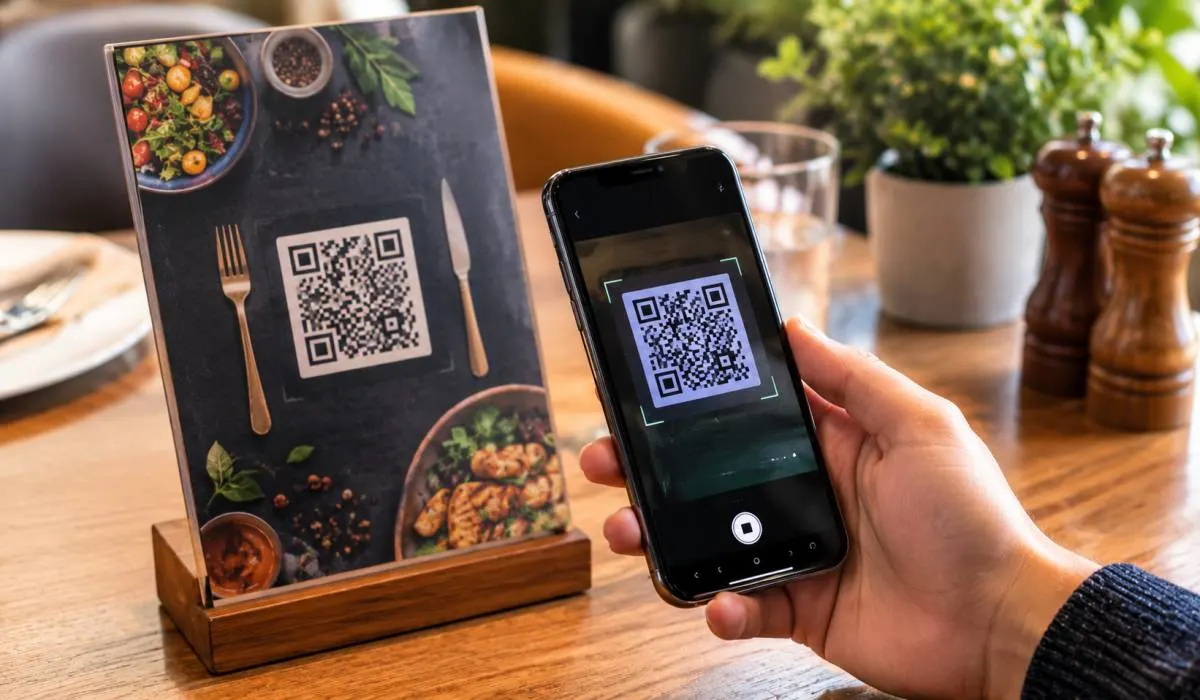
QR codes are everywhere now. Restaurant menus, Product packaging, Event check-ins, Wi-Fi sharing. Having a reliable scanner on your phone...
Gadgets & Technologies Are Together

AI presentation tools have matured fast. In 2026, the question is no longer whether AI can make a slide deck. It is which one makes a deck you can actually use. This best AI presentation maker tools review cuts through the hype.
Templafy Agent is the best free option for PowerPoint users. It generates real, editable files inside the app. Canva offers the strongest free design tools. Manus delivers the highest quality but costs $17 per month. Doubao is free with no export limits but works best in Chinese. We tested each tool for output quality, export reliability, and free tier limits. No fluff. Just what works and what does not.
Before the list, a warning. Most AI presentation tools produce a first draft, not a finished deck. A benchmark of six major tools found three consistent weaknesses: poor visual selection, incomplete narrative structure, and weak integration with real design workflows . The tools generate slides, but often not a coherent story.
That said, some tools are genuinely useful. The best ones either produce clean, editable output or integrate into the app you already use. Here is what stands out.
Read More: AI SEO Software Review for Small Websites: What Actually Works in 2026
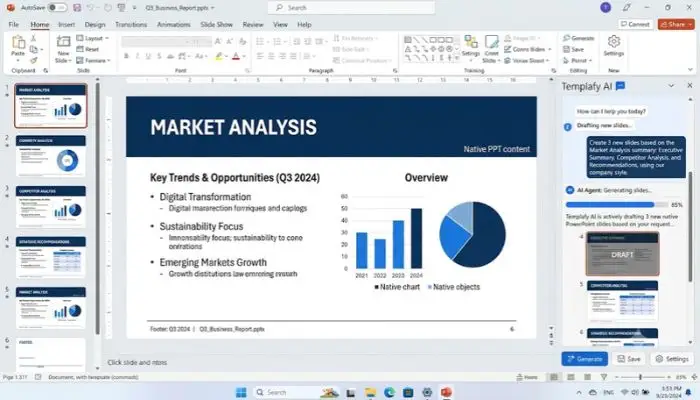
If you use PowerPoint, this is the most practical free option. Templafy launched a free AI agent add-in for PowerPoint in August 2026. It works inside PowerPoint, not in a separate browser tab .
In a hands-on test of eight AI presentation tools, Doubao was one of only three tools rated as "usable" for real work. It was also the only one that was completely free with no export limits .
Manus was rated the highest quality in the same hands-on test, but it comes at a cost. The tool produced decks with strong visual design, correct brand colors, and smart use of source material like screenshots .
Canva is not a dedicated AI presentation maker, but its AI features are strong and the free tier is generous. Magic Design generates a presentation framework from a topic, which you then refine with Canva's massive asset library .
Felo combines AI search with presentation generation. It pulls real-time information from the web and builds a deck from what it finds. The free tier offers 3-5 AI presentation generations per day, which is enough for occasional use .
You May Also Read: Best AI Transcription Tool Review: Which One Should You Use?

The best AI presentation maker for you depends on where you work. If you use PowerPoint, start with Templafy's free agent. It is the only tool that produces clean, editable files inside the app you already know. If design matters most, Canva's free tier gives you the most control. If you want high quality and do not mind paying, Manus delivers the best results.
Do not expect perfection. AI presentation tools are draft generators, not deck finishers. Use them to get past the blank page, then do the work that matters: fixing the story, the flow, and the details.
Templafy Agent for PowerPoint is the best free option if you use PowerPoint. It generates real, editable PPTX files and works inside the app you already use . Canva is the best free option for design-focused decks .
Yes, but with limits. Free tools like Templafy and Canva cover basic deck creation. Most free tiers cap the number of generations or restrict export options. The quality is usually a first draft, not a finished deck.
Manus was rated highest in hands-on testing for visual quality and source use . It costs $17/month for regular use. For free tools, Canva produces the most polished visuals.
Most do, but not all exports are equal. Templafy generates native PowerPoint files that work properly. Gamma and others export PPTX, but fonts and layouts can break. Always test the export before relying on it.
Check the tool's terms. Some free tiers restrict commercial use. Templafy's free agent is for individual use. Canva's free tier allows commercial use with some asset restrictions. Paid plans usually include broader rights.
Narrative flow. A benchmark found that many tools generate disconnected slides rather than a coherent story . You still need to edit for structure, pacing, and logic. AI is good at content, not storytelling.
Gamma is good for personal projects and quick drafts. The free plan is limited (400 credits, no refill, 10 slides per prompt) . For professional work, Templafy or Canva are better choices.
Yes. Presenton is open-source and self-hosted. It supports multiple AI models and gives you full control over your data . It requires some technical setup but no subscription fees.