How to Protect Personal Data from AI: Practical Steps That Work
AI tools collect more data than most people realise. Every prompt you type. Every file you upload. Every conversation you...
Gadgets & Technologies Are Together

players like Flipkart. A/B testing helps you find what your customers like without spending on ads. For example, test if a "Buy Now" button in green gets more sales than red. Or see if Hindi headlines pull more clicks from Delhi users than English ones.
Free tools make this easy for startups in Mumbai or Bangalore. No need for a developer team. Just sign up, add a small code to your site, and start tests. Tools like these handle everything from showing different pages to tracking results. Increases in sales by 20-30 percent can be generated by only small changes.
The owner of one chai shop in Chennai updated his menu page and increased orders by 2 times in a week. This works because Indians check sites on phones, so tests focus on mobile speed and simple designs.
India has over 60 million small shops online. Many run on low budgets but face tough competition from big players like Flipkart. A/B testing helps you find what your customers like without spending on ads. For example, test if a "Buy Now" button in green gets more sales than red. Or see if Hindi headlines pull more clicks from Delhi users than English ones.
Free tools make this easy for startups in Mumbai or Bangalore. No need for a developer team. Just sign up, add a small code to your site, and start tests. Tools like these handle everything from showing different pages to tracking results. Increases in sales by 20-30 percent can be generated by only small changes.
The owner of one chai shop in Chennai updated his menu page and increased orders by 2 times in a week.This works because Indians check sites on phones, so tests focus on mobile speed and simple designs.
Read More: How to Start an Online Business Using No-Code Tools
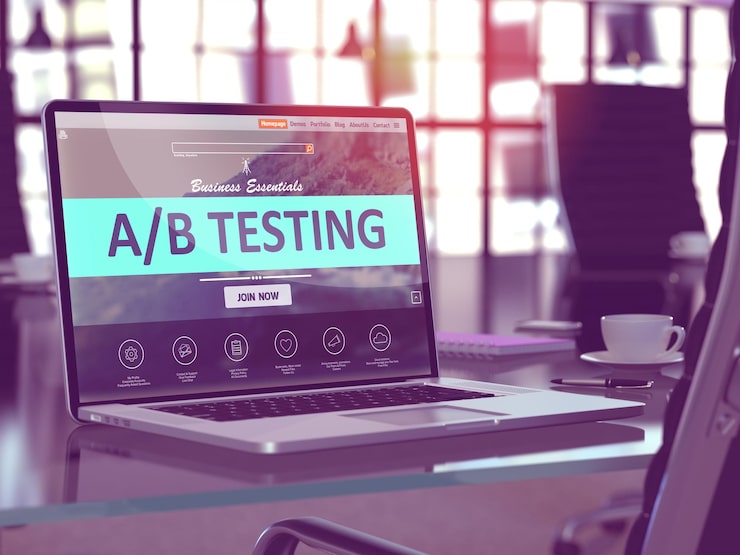
Many free tools exist, but not all suit Indian sites. Some slow down pages or charge hidden fees. Here are the best ones after checking what works for WordPress blogs, e-commerce stores and apps. I picked these because they have no cost for basic use, easy setup and good support for Indian traffic.
PostHog: Open source and free for 1 million requests a month. Great for tracking user clicks plus A/B tests in one place. Works on websites and apps.
GrowthBook: Free self-hosted option. Full control for developers, but simple dashboard for others. No limits on tests.
Google Optimize: Fully free from Google. Links straight to Analytics, which most Indian sites already use. Easy for beginners.
Crazy Egg: Free trial then basic free plan. Shows heatmaps with A/B tests, so you see where users click.
Flagsmith: Free for small teams. Good for feature tests like new checkout pages.
These tools beat paid ones like VWO for startups. PostHog and GrowthBook shine because you host them yourself, no data privacy worries under Indian laws.
PostHog tops the list for Indian users. It runs on your server, costs nothing for most shops and gives full data ownership. A Flipkart seller used it to test product images and lifted conversions by 25%. Let's set it up.
First, go to posthog.com and click Sign Up. Use your email, no credit card asked. Select the free cloud option or self-host in case you possess a server such as DigitalOcean that can be used at a cost of just Rs 400 a month.
Step 1: After login, create a new project. Name it "My Shop Tests". This keeps all your tests in one spot.
Step 2: Get the tracking code. Click Settings then API Keys. Copy the site URL and snippet. It looks like this:
text
<script> window.posthog?.init('your-key-here', {api_host: 'your-app.posthog.com'}) </script>
Step 3: Add this code to your website. For WordPress, use a plugin like Header Footer Code Manager. Paste in the header section. For Shopify, go to Online Store > Themes > Edit Code > theme.liquid, add before </head>. Save and check.
Step 4: Verify it works. Go to PostHog dashboard > Events. Visit your site in another tab. You should see page views pop up in 10 seconds.
Step 5: Start your first test. Click Experiments > New Experiment. Name it "Button Color Test". Pick the page like /product-page.
Choose what to test: headlines, buttons or full pages. For buttons, use the visual editor. Drag to change text from "Add to Cart" to "Buy Quick". Set 50% visitors to see version A (old), 50% version B (new).
Step 6: Set goals. Link to events like "purchase" or "add_to_cart". PostHog tracks these from your site.
Step 7: Launch. It runs for 7-14 days. Check dashboard daily. When results show one version wins by 10% or more, roll it out to all.
Trouble? PostHog support chats fast, even for India time. One Bangalore startup fixed a code issue in 30 minutes.
GrowthBook suits shops with some tech know-how. It's free forever if self-hosted. A Pune e-commerce site tested pricing pages and cut cart abandonment by 15%.
Step 1: Sign up at growthbook.io. Free cloud or download for self-host.
Step 2: Install SDK. For websites, npm install growthbook or use JS snippet:
text
<script src="https://cdn.jsdelivr.net/npm/growthbook@0.30.0/dist/bundled.js"></script>
Step 3: Add to site head, replace with your API key from dashboard.
Step 4: Create feature flag. Dashboard > Features > New. Name "new-button". Set variations: A="old text", B="new text".
Step 5: Define test. Experiments > New. Target URL, goal metric like revenue.
Step 6: Run SDK code on your page:
text
const gb = new GrowthBook(); gb.loadFeatures().then(() => { if (gb.isOn('new-button')) { document.querySelector('.button').innerText = 'Buy Quick'; } });
Step 7: Publish and watch results. SDK splits traffic smartly. Stop when clear winner shows.
You May Also Read: How to Use AI Chatbots for Customer Support and Sales
Google Optimize shut down, but similar free Google tools or alternatives fill the gap. For pure online no-code, try Microsoft Clarity free tier. But let's use Optimove or stick to Optimize clones.
Actually, for dead simple: Sign into optimize.google.com if still active in your region, or use VWO free forever plan.
| Tool | Best For | Setup Time | India Limits | Mobile Support |
|---|---|---|---|---|
| PostHog | Analytics + Tests | 10 mins | 1M free | Full |
| GrowthBook | Dev control | 15 mins | Unlimited | Full |
| Crazy Egg | Heatmaps | 5 mins | Trial | Good |
| Flagsmith | Apps | 20 mins | Small teams | Full |
| Beginners | 3 mins | Full free | Basic |
PostHog wins for most Indian sites due to no caps and privacy.
Run tests on one thing at a time. Test headlines first – "Sale Ends Soon" vs "Flat 50% Off". Need 1000 visitors minimum for trustable data.
Use Rupee payments in tests. Razorpay links well with these tools. Test festive banners for Diwali. Host on cheap Indian servers like Hostinger to keep speed. For apps, PostHog mobile SDK free. No GST issues on open source.
What is the best tool for A/B testing free?
PostHog for full features, Google for beginners.
How to set up A/B testing tools free online?
Pick tool, add code snippet, create test in dashboard – done in 15 mins.
Free A/B testing tools for Shopify India?
All above work; GrowthBook best for custom themes.