Best Slideshow Maker for Facebook Photos: Free Tools
Facebook is still the biggest social network. Photos get attention but a slideshow with music gets more. It tells a...
Gadgets & Technologies Are Together
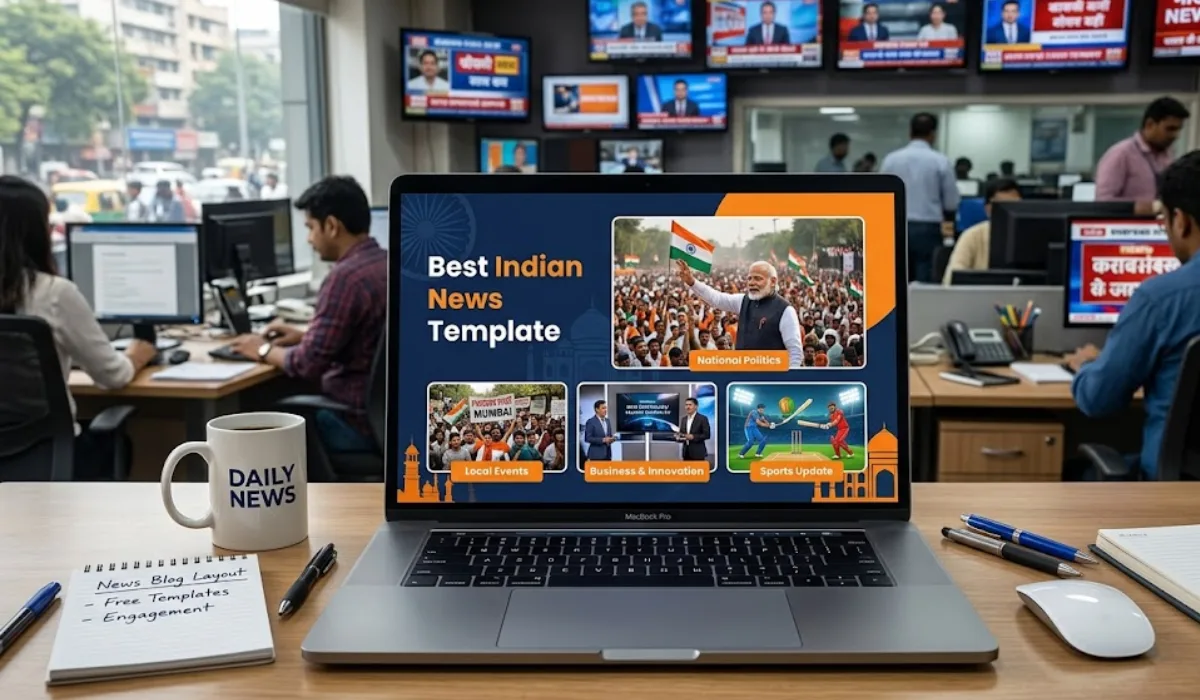
Looking for the best slideshow content for news blogs? Free News PowerPoint templates from SlidesCarnival and SlidesMania deliver TV-style visuals bold headlines, ticker tapes, and clean layouts that load fast on Indian mobiles. Keep posts to 5-8 slides with local touches like tricolour accents for Republic Day or monsoon maps.
Embed on WordPress using Smart Slider (free), compress images for Jio speeds, and watch engagement soar as WhatsApp shares spread your election updates or festival coverage. These ready-to-tweak designs turn small blogs into trusted local news stops.
People read news for quick facts, not long walls of text. A slideshow breaks down stories into bite-sized slides with bold headlines and clear images. In India, where mobile data costs add up, fast-loading slides keep visitors longer and boost your site rank.
Think of Times of India or NDTV homepages – they use sliders for top stories. Your blog can do the same to cover elections, festivals, or monsoon updates. Slides with maps or timelines make complex topics easy to grasp at a glance.
Short attention spans demand visuals first. Readers decide in seconds if your post matters. Free slideshow content fills this gap, letting you focus on fresh reporting.
Read More: Top 10 AI Tools Businesses Are Paying For in 2026
Start with simple, ready-to-use templates that fit Indian news styles. Sites offer downloads without sign-ups, saving time for busy bloggers.
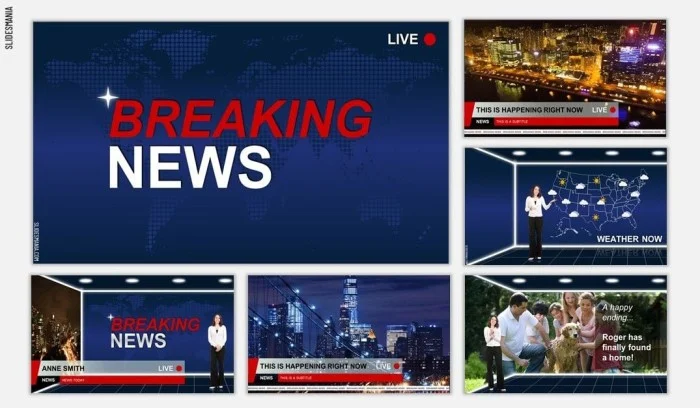
SlidesCarnival has news themes with TV studio looks – red banners and clocks for live feel. Download their free pack, tweak colours to saffron or green, and add Mumbai traffic photos.
SlidesMania gives a breaking news channel setup. Use it for school events or city alerts – add your face as anchor with a plain background tool. Full version suits detailed reports; lite one loads quick on slow connections.
Free PowerPoint templates with blue breaking news text work for urgent posts. Pair with stock images of Indian landmarks to localise appeal. These options come in PowerPoint or Google Slides formats. No skills needed – drag, drop, and export as images for your blog.
Here are picks tailored for Indian bloggers. Each handles 5-7 slides, perfect for daily news roundups.
PoweredTemplate free news slides: Mix of layouts with timelines. Good for election results or budget breakdowns.
| Template Name | Best For | Slide Count | Load Time Tip |
|---|---|---|---|
| SlidesCarnival News | Politics, TV style | 10+ | Compress images under 100KB |
| SlidesMania Channel | Local alerts | 8 | Use lite version for mobiles |
| Breaking News PPT | Sports, urgent | 5 | Blue theme saves data |
| PoweredTemplate | Timelines | 12 | Add dates for freshness |
Test each on your blog – embed as GIFs or static images. Free ones rank well since readers love no-cost tools.

PowerPoint rules for slideshows because everyone has it or uses free Google version. Look for templates with Indian touches like tricolour accents.
Search free sites for "news PPT India" – find palace themes or festival sliders from Slidesgo. Edit to fit Diwali sales or Republic Day specials.
YouTube tutorials show newspaper-style intros. Follow steps for parallax effects – timelines zoom like scrolling news. Download assets free and practice on one story.
Customise with free fonts like Roboto for headlines. Add icons for categories: cricket bat, rupee sign, or metro train.
Keep slides to 3 lines max. One idea per slide stops reader bounce. Mix text with photos of Delhi streets or Kerala rains.
Most blogs run WordPress, so steps stay simple.
For non-WordPress, HTML code works: stack images in div with CSS fade.
Preview on different screens laptop, phone, tablet. Fix if text cuts off.
You May Also Read: How to Make an ADHD Slideshow That Really Works

The best slideshow content for news blogs holds Indian readers tight without big costs. Free News PowerPoint templates from places like SlidesCarnival and SlidesMania shape everyday news into crisp visuals that zip open on phones. Grab one now, adjust for your area’s tales think metro jams in Delhi or Holi crowds in UP – and watch visitors grow as forwards fly across WhatsApp chats.
Little tweaks make the magic: swap in a shot from your street, rewrite that top line to match local talk, and suddenly posts breathe real life. Readers stick around, come back tomorrow for more on power cuts or match scores, turning one-time looks into daily stops. That steady flow? It’s what keeps small blogs beating big ones.
They bring fat headlines, neat setups, and running tape looks straight from TV screens. Picture that morning rush you’re on the train, thumb pauses on a red alert bar, same as it hooks office-goers over filter coffee in Chennai or Bangalore.
SlidesCarnival or SlidesMania hand them over free, no catch. TV desk styles wait for your changes in PowerPoint or Google Slides – drop in flag colours for Independence Day or flood warnings. Last Diwali, I grabbed one, added mandir pics from my neighbourhood; done in ten minutes flat.
Keep it 5 to 8 per roundup. One slide nails scores, next grabs a quote, then a quick map – folks flip fast even on patchy net. Pushed to ten once for election counts; lost half the crowd midway, fixed it next day.
Sure, save slides as pics or short GIFs, drop them in with Smart Slider’s free plan. Shrink sizes upfront so Jio in villages doesn’t lag. Skipped that step on a train delay post – page crawled; now test on my budget phone every time.
They chop news into phone-friendly chunks for snack breaks or auto rides. Longer looks mean better spots when searches hit "best slideshow content for news blogs". Imagine your uncle passing a Ganesh fest slide in the family chain that’s how it spreads real.