How to Build Brand Awareness for a New Startup on a Small Budget
Building brand awareness for a new startup is not about having a big budget. It is about being clever, consistent,...
Gadgets & Technologies Are Together
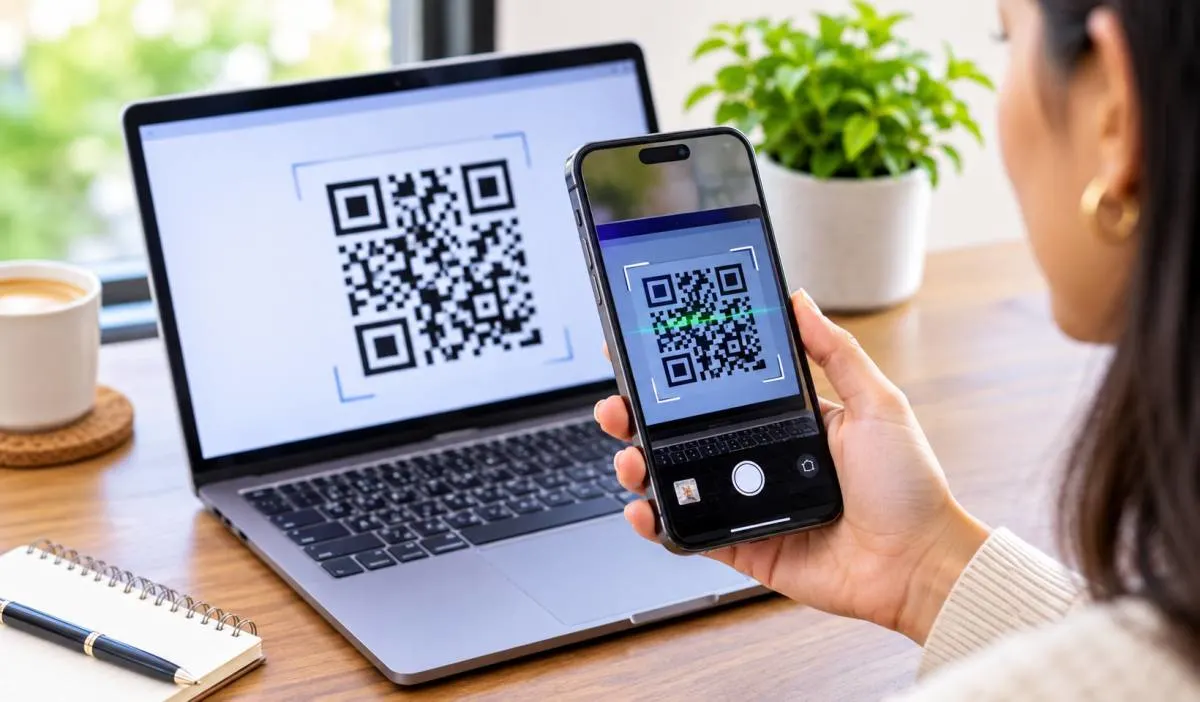
A QR code turns a long website link into a small square anyone can scan. You do not need a paid subscription or a design background. Learning how to create a QR code for a website takes seconds. You can use your browser, free online generator, you can even use Canva to match your brand.
The process is simple. Paste your link, click generate. Download the image then test it before you print. This guide covers every method the fastest shortcuts, with the free tools. The difference between static and dynamic codes and the mistakes to avoid. Read on and make your first QR code today.
If you use Chrome or Edge on a computer, you already have a QR code generator built in. There is no need to visit a website.
A QR code appears instantly. You can download it or copy it. This creates a static code that links directly to that URL.
Read More: How to Protect Personal Data from AI Tools: A Simple Guide
Several online tools let you generate codes without paying. The process is similar across all of them.
Watch out for trials. Some sites offer a "free" dynamic code that expires when the trial ends. Static codes from free tools usually stay active permanently .
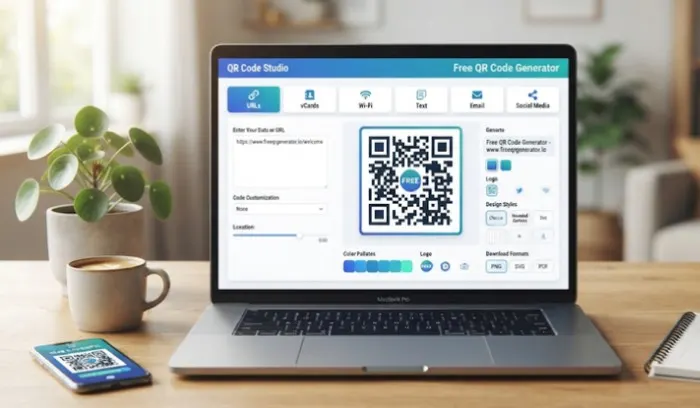
Canva is a popular option if you want a designed code that matches your brand.
Canva's static codes do not include the Canva logo, and the link cannot be changed after creation. Dynamic codes let you update the link later and track scans, but some features require a paid plan .
There is no official "Google QR Code Generator" tool. Google Docs and Sheets do not have a built-in QR feature . However, you can use a formula in Google Sheets to create one using a third-party API like QuickChart or QRServer . This is useful if you are managing links in a spreadsheet, but it is more technical than the other methods.
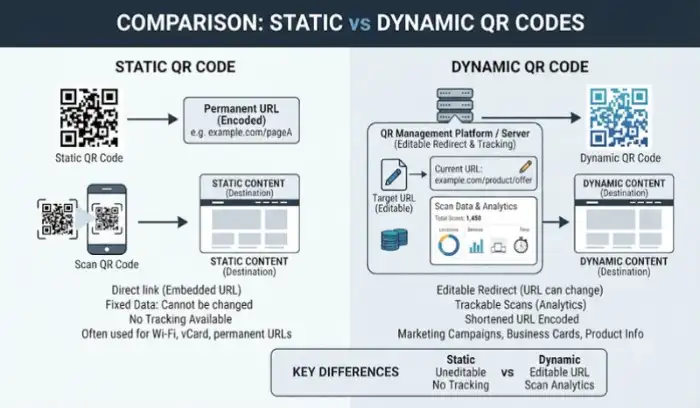
This choice matters before you generate anything.
| Feature | Static QR Code | Dynamic QR Code |
|---|---|---|
| Link editable? | No. Fixed forever | Yes. Change the destination anytime |
| Scan tracking? | No | Yes. See scans, location, device |
| Expiration | Permanent | Can expire (especially free trials) |
| Best for | Permanent links, posters, business cards | Campaigns, menus you update, tracking |
Choose Static if your link will never change. A link to your homepage or a permanent landing page works fine as a static code. You can print it and forget it.
Choose Dynamic if you might need to update the link later, or if you want to know how many people scanned it. Dynamic codes are better for marketing campaigns where you want data.
Never print a code without scanning it first. This is the most common and most expensive mistake.
Test on more than one phone if you can. A code that works on an iPhone might fail on an older Android if the contrast is poor or the code is too small .
You May Also Read Also: How to Transfer WhatsApp to New Phone: Complete Guide
Use a free generator like QRSurge or QR Code Monkey. Paste your URL, click generate, and download the image. Canva also has a free static QR code tool .
Right-click the page in Chrome or Edge and select "Create QR Code for this page." It takes two seconds and requires no other tools .
Yes. Go to Apps or Elements in the Canva editor, search "QR code," enter your URL, and save. Static codes are free. Dynamic codes with tracking need a paid plan for some features .
No. Google does not offer an official QR code generator. You can use a formula in Google Sheets with a third-party API, but it is more complex than using a dedicated site .
A static code has the link built in permanently. It cannot be changed. A dynamic code uses a redirect, so you can update the destination later and track scans .
Static codes from free generators usually do not expire. Dynamic codes on a free trial often do expire when the trial ends. Check the terms before you rely on one .
Open your phone's camera app and point it at the code. A notification will appear. Tap it to open the link. Both Android and iPhone support this natively .
Yes. Many generators let you upload a logo. The code uses error correction to stay readable even with the center covered. Always test it before printing