Best AI Presentation Maker Tools Review: Top 8 Tools
AI presentation tools have matured fast. In 2026, the question is no longer whether AI can make a slide deck....
Gadgets & Technologies Are Together
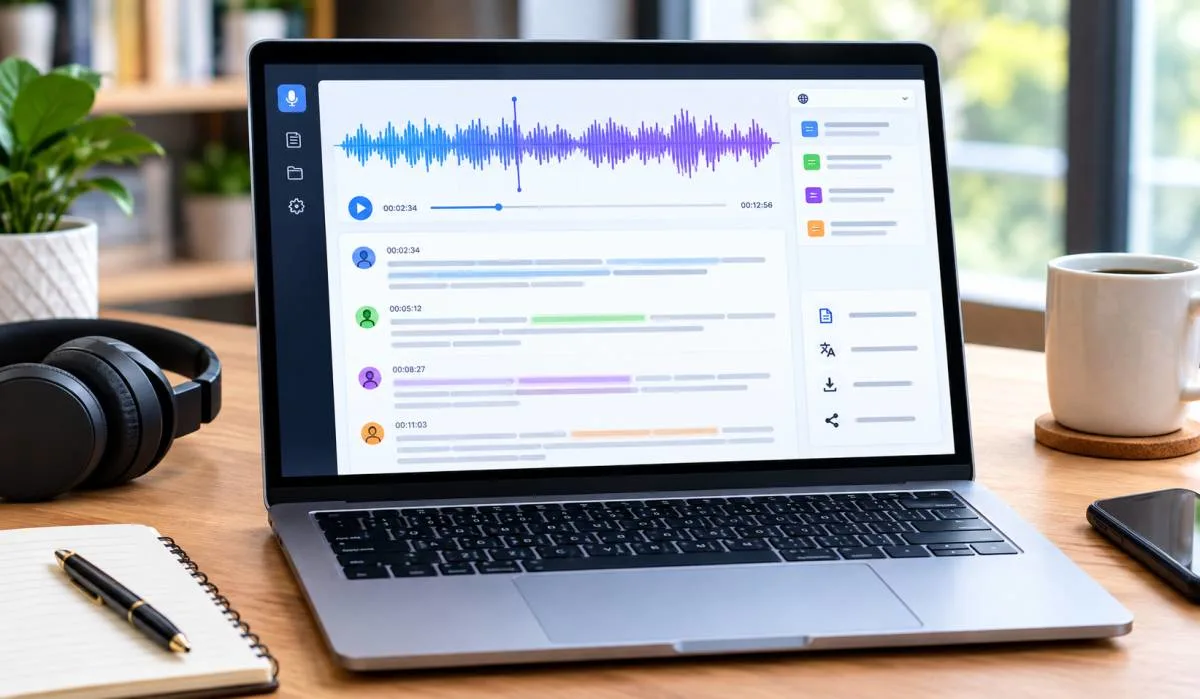
AI transcription used to be slow. Not anymore. What took hours now takes minutes. The tools are faster. More accurate. Often free. But there are too many options. Picking one is hard. This best AI transcription tool review breaks down the top choices for 2026.
Otter.ai leads for meetings. TurboScribe gives the best value for students. Whisper is the free pick for multiple languages. Trint is built for media teams. TranscribeMe is the cheapest for automated work. We tested each one. Accuracy. Speed. Ease of use. No fluff. Just what works.
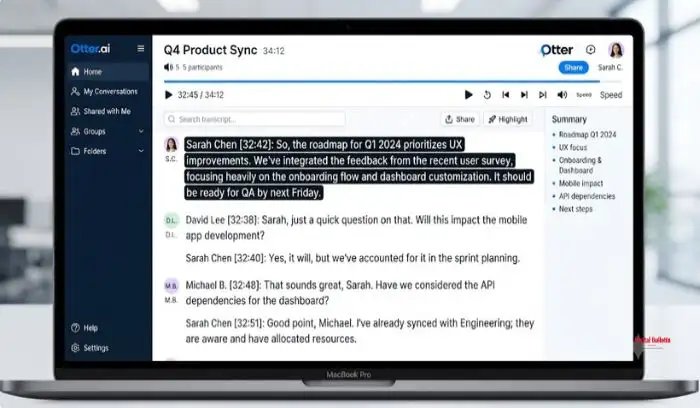
Otter.ai is the most accessible entry point for AI transcription. It offers real-time transcription, speaker identification, and AI summaries. The free tier gives you 300 minutes per month, which is enough for casual users .
The platform integrates with Zoom, Google Meet, and Microsoft Teams. It joins meetings automatically and produces a searchable transcript. Reviewers praise its accuracy with clear audio and standard accents .
Read More: Generative AI Platform Reviews 2026: Tools That Actually Deliver
TurboScribe is the clearest student pick. It uses Whisper technology and supports 98+ languages. The free tier allows 3 files per day, up to 30 minutes each. That handles a few lectures per week without paying .
The paid plan at $10/month (annual) gives you unlimited transcription with no per-minute billing. If you transcribe regularly, this is the best value .
Students need more than transcription. They need to study from the notes. The best free system combines Otter.ai for capture and NotebookLM for analysis .
Use Otter during class to record and transcribe. Then upload the transcript to NotebookLM within 24 hours. NotebookLM generates study guides, answers questions, and creates flashcards. This 15-minute session cements the lecture while it is still fresh .
Why this works: Otter captures everything. NotebookLM helps you understand it. Together, they cover both recording and learning .

Whisper is the open-source model that changed transcription. It supports 99 languages and runs locally for free. You can also use it via API for about $0.006 per minute .
The base API returns raw text without speaker labels. If you need speaker identification, use Otter, Fireflies, or Notta instead. But for pure multilingual transcription, nothing beats Whisper's language coverage .
Trint is built for journalists, podcasters, and media teams. It offers collaborative editing, clipping, and merging of audio files. Team members can work on the same transcript simultaneously .
The platform supports machine-generated and human-reviewed transcripts. It is pricey at $69 per person per month, but the collaboration features are worth it for larger organizations .
TranscribeMe offers automated transcription at $0.07 per minute. That is one of the cheapest rates available. Turnaround is fast, averaging 3-5 times the length of your file .
The web interface lacks collaboration tools, but it is fine for editing completed transcripts. TranscribeMe also offers data annotation and translation services .
You May Also Read: How to Identify Fake Product Reviews: Easy Warning Signs
| Tool | Best For | Free Tier | Starting Price | Languages |
|---|---|---|---|---|
| Otter.ai | Overall, meetings | 300 min/month | $8.33/mo | English only |
| TurboScribe | Students, value | 3 files/day | $10/mo | 98+ |
| Whisper | Multilingual, free | Self-hosted | Free / $0.006/min | 99 |
| Trint | Media teams | No | $69/mo | 40+ |
| TranscribeMe | Affordable automation | No | $0.07/min | Multiple |
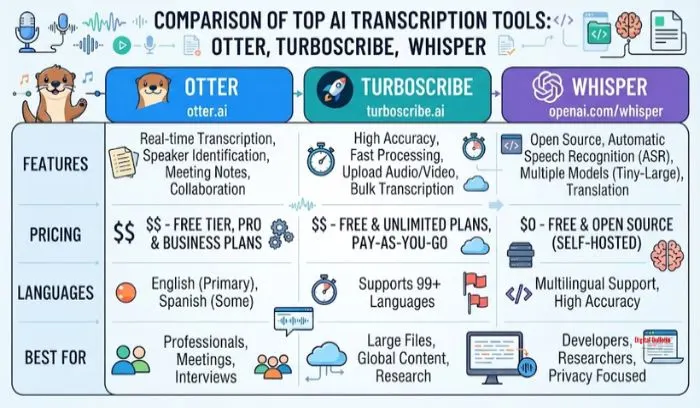
The best AI transcription tool depends on your needs. Otter.ai is the best overall for meetings and general use. TurboScribe is the best value for students and regular transcription. Whisper is the best free option for multilingual content. Trint is the best for media teams. TranscribeMe is the most affordable for automated transcription.
Start with the free tiers. Test with your own audio. Upgrade only when you hit real limits. Most people will find the free options more than enough.
Otter.ai. It is easy to use. Real-time transcription. Speaker labels. Works with Zoom and Google Meet. Free tier gives 300 minutes per month. Good for most people.
TurboScribe. Free tier gives 3 files per day. Each file can be 30 minutes. That covers a few lectures a week. Paid plan is $10 a month for unlimited.
Yes. Otter gives 300 minutes free each month. TurboScribe gives 3 free files daily. Whisper is completely free if you run it on your own computer. Rev gives 45 free minutes.
Whisper. It supports 99 languages. You can run it locally for free. Or use the API for about $0.006 per minute. No other tool matches its language coverage.
Accuracy varies. Clear audio with standard accents gets 90%+ accuracy. Difficult audio with background noise or strong accents drops to 80-92%. Always test with your own recordings before trusting any tool.
Some do. Otter, Fireflies, and Notta have speaker labels. Whisper does not in its basic form. Speaker identification is inconsistent on difficult audio. Test before relying on it.
TranscribeMe at $0.07 per minute for automated transcription. TurboScribe at $10 per month for unlimited is also very cheap. Whisper is free if you self-host.
Yes. Check export formats. You need SRT or VTT files for captions. Not all tools offer these. Trint and Otter support caption formats. Check before you commit.