How to Grow on Bluesky: Get Followers and Go Viral
Bluesky is not X. It is not Threads, it is not Instagram. That is the first thing you need to...
Gadgets & Technologies Are Together
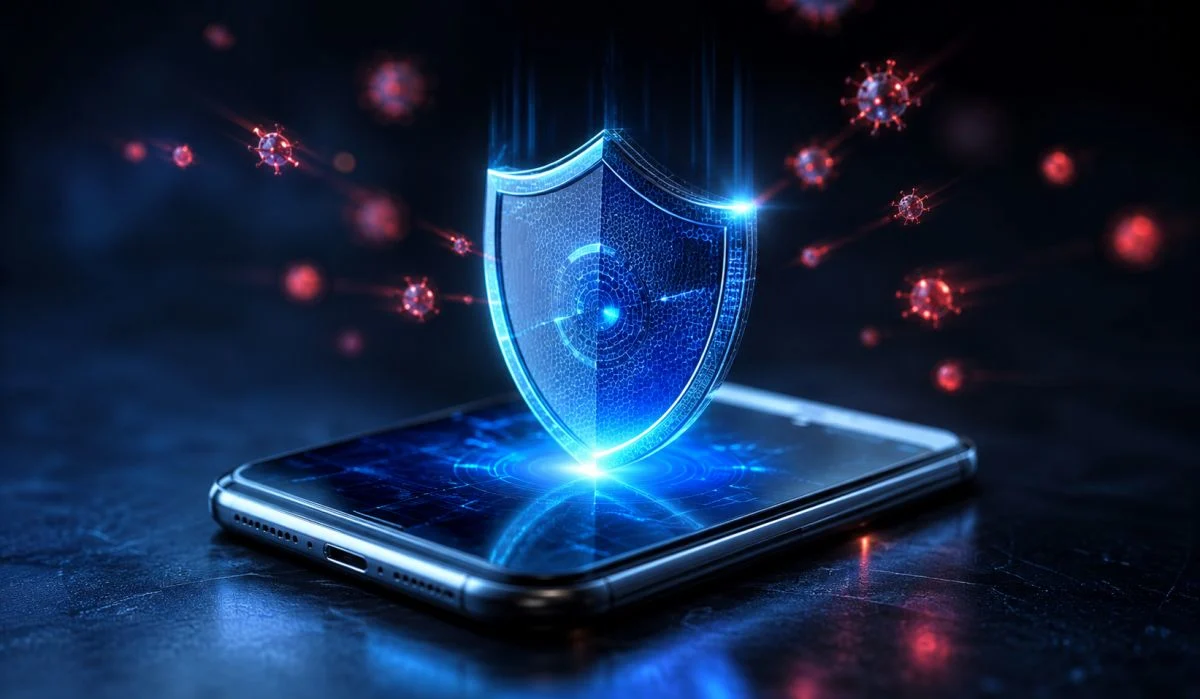
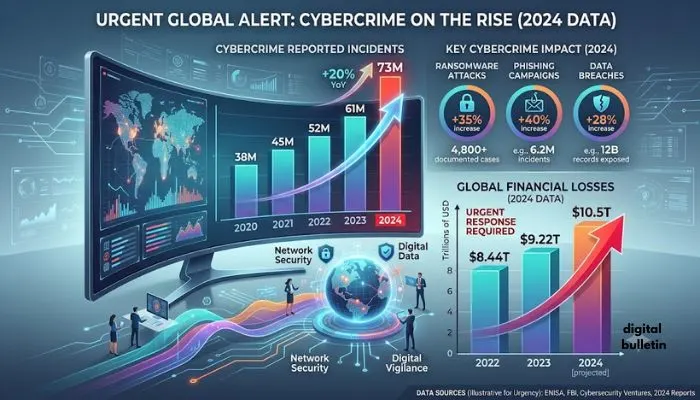
Internet is a part of our life. We do banking, shopping, paying bills, talking to friends and more – all via our phones and computers. This ease comes with a big risk – hackers want your personal data. They want you to give them your bank information, your passwords, your Aadhaar no and anything else they can get from you to rob you. The figures are alarming. This is despite the fact that in 2024 alone, more than 22.68 lakh cases of cybercrime were reported in India, where more than ₹22,842 crore was lost.
In the same year, the government also reported financial fraud cases of 36.4 lakh. Numbers are not numbers, these are people who are losing their hard-earned money. The good news is, however. Don't have to be a tech expert to be safe. It only takes some basic habits to get you on track. This article will tell you just how to protect personal data from hackers in a simple and functional way that anybody can follow.
An understanding of what is being protected is essential before discussing protection. There are numerous ways in which hackers can acquire your information.
The most prevalent ones are phishing attacks. In these, the fraudsters pretend to be authentic or reputed organizations to deceive you into providing your passwords, card numbers or OTPs.They send fake emails or messages that look real. These messages often create a sense of urgency – they might say your account will be blocked unless you act now .
Malware is another danger. This is bad software that gets into your device without you knowing. It can record what you type, steal your files, or lock your system until you pay money (ransomware). Many people get malware by downloading cracked or pirated software .
Public Wi-Fi is also risky. When you use free Wi-Fi at a café or airport, hackers can intercept your connection. They can see what you are doing online, including your passwords and bank details.
Identity theft is growing fast too. The 'Digital Arrest' scams – where criminals pretend to be police or government officers – caused losses of around ₹2,000 crore in 2024 .
Now that you know the risks, let us look at practical steps to protect yourself.
Read More: How to Open PPF Account Through SBI Online Full Step by Step Guide
Your password is your first door lock. If it is weak, hackers can easily break in. A good password should be at least 12-14 characters long . It should have a mix of uppercase letters, lowercase letters, numbers, and symbols.
But here is the most important rule – never use the same password for different accounts. If one account gets hacked, all your other accounts become vulnerable too .
Do not use personal information like your name, birthday, phone number, or address in your password. Hackers can find these details from your social media . Also, do not store your passwords in your phone notes or laptop .
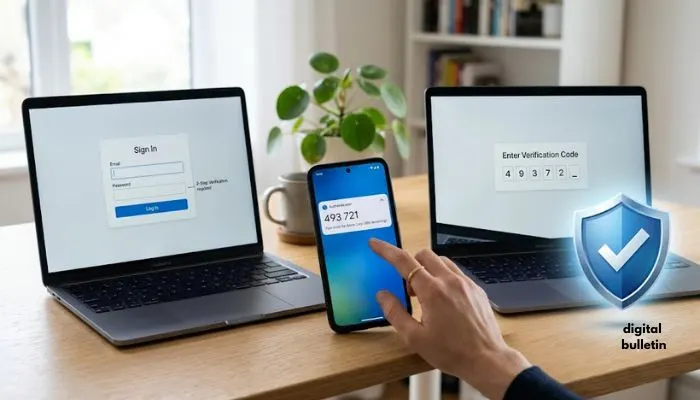
Passwords alone are no longer enough. AI-powered tools can crack many passwords these days . Two-factor authentication adds a second layer of protection.
With this, even if someone gets your password, they cannot get in without the second factor. This second factor could be a code sent to your phone, a fingerprint scan, or a code from an authenticator app .
Authenticator apps like Google Authenticator or Microsoft Authenticator are better than SMS codes. Hackers can sometimes intercept SMS messages. The apps are more secure.
Turn on two-factor authentication for all your important accounts – your email, bank accounts, UPI apps, and social media .
You must have seen those "update available" messages on your phone and laptop. Do not ignore them. These updates are not just for new features – they fix security holes .
Hackers are always looking for these holes to break into your device. When companies find these holes, they release updates to fix them. If you do not update, you leave the door open for hackers .
Turn on auto-updates on your phone and computer. This way, you do not have to remember to update manually.
Free Wi-Fi at malls, airports, and cafes is convenient. But it is also a hunting ground for hackers. They can position themselves between you and the Wi-Fi hotspot and see all your activity.
Avoid doing banking, shopping, or accessing sensitive accounts on public Wi-Fi . If you must use public Wi-Fi, use a VPN (Virtual Private Network). A VPN encrypts your connection, making it much harder for hackers to see your data .
Even better, use your mobile data instead of public Wi-Fi for important things. Mobile data connections are generally safer.
When you install an app, it asks for many permissions – access to your contacts, camera, location, photos, and more. Ask yourself – does a game really need access to your contacts? Does a shopping app need your location ?
Many apps ask for more permissions than they actually need. They collect extra data that could be misused. Regularly check your phone settings and revoke permissions that are not necessary.
On Android, go to Settings > Apps > [App Name] > Permissions. On iPhone, go to Settings > Privacy & Privacy .
We all love sharing our life online. But each post gives hackers information they can use. Your birthday, your pet's name, your mother's maiden name – these are often security questions for passwords .
Think before you post a photo of your new ID card or a screenshot of a bank notification. This is like inviting trouble. Review your privacy settings on social media and restrict who can see your posts .
Also, be mindful of "people behind you" when you enter sensitive information in public . Shoulder surfing is a real threat.
Phishing is everywhere. Hackers email, text or send WhatsApp messages disguised as your bank account, your mobile provider, or government. They induce urgency – “Your account will be deactivated in 24 hours” or “Click this link to get your refund”.
Never click on links in suspicious messages . Before you click, hover your mouse over the link (on a computer) to see the real address. Often, the link will go to a fake website that looks real.
Look for red flags in messages – poor grammar, typing mistakes, generic greetings like "Dear Customer" instead of your name, or messages that ask for your OTP . No real bank will ever ask for your OTP or PIN. Report such messages to the official helplines.
This is a simple but often ignored step. Always lock your phone and computer when you step away . Use a strong PIN, pattern, or biometric lock like fingerprint or face recognition.
Enable the remote wipe feature on your phone. If your phone is stolen, you can erase all your data from anywhere. This means the thief cannot access your banking apps or personal files .
Keep a regular eye on your bank statements and credit card bills. Report any suspicious transaction to your bank immediately .
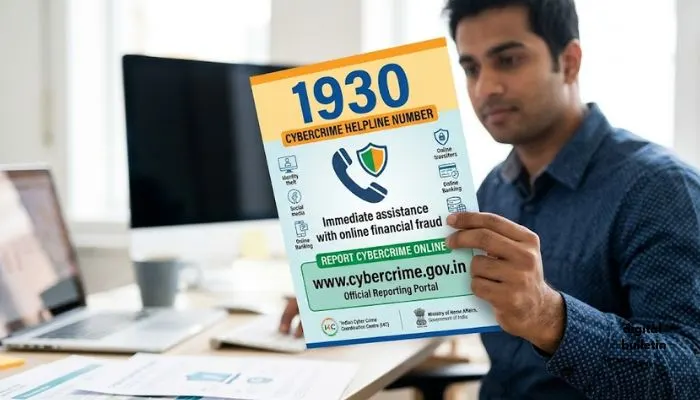
The government has a helpline number 1930 for reporting financial fraud . If you become a victim of cybercrime, report it quickly to the National Cybercrime Reporting Portal (cybercrime.gov.in). Quick reporting can help freeze the fraudulent transactions and recover your money .
India now has a strong data protection law called the Digital Personal Data Protection Act, 2023. This law gives you rights over your personal data .
You have the right to know what data companies have about you. You can ask them to correct wrong information. You can ask them to delete data they no longer need. You can also withdraw your consent at any time .
Under this law, companies must tell you clearly why they are collecting your data and how they will use it. If there is a data breach, they must inform you promptly in simple language .
The law also protects children's data. Companies must get verifiable consent from parents before collecting children's data . If a company does not protect your data properly, they can be fined up to ₹250 crore .
The DPDP Act and its Rules (notified in November 2025) are a big step for India. They put the power back in your hands .
Under the new rules, consent managers will help you manage your permissions. These are Indian companies that will act as your representative to give or withdraw consent for data collection .
Companies must be transparent about their data collection. They cannot hide things in long, legal-sounding terms. They must explain in simple language why they want your data and for how long they will keep it .
If a company has a data breach, they must tell you. They have to explain what happened, what data was compromised, what they are doing about it, and whom you can contact for help .
You May Also Read: How to Apply for PM Kisan Yojana Online Full Step by Step Guide
If you or someone you know becomes a victim of cybercrime, do not panic. Act fast.
The government has also launched the Citizen Financial Cyber Fraud Reporting and Management System (CFCFRMS) to help in quicker recovery of money .
It is not just about what you do. Companies that hold your data also have responsibilities. Under Indian law, companies (called Data Fiduciaries) must put reasonable security safeguards in place .
They must:
Significant companies – those handling very large amounts of data – have extra duties. They must do data protection impact assessments and get their systems audited regularly .
Cyber safety is not just an individual task – it is a family responsibility. Start talking about these risks at home. Teach your parents and children about the dangers of clicking on unknown links .
For children, be extra careful. The DPDP Act requires companies to get parental consent before processing children's data. As a parent, review the apps your child uses. Check the permissions and the type of data being collected.
For elderly family members, they are often prime targets for scams. Explain to them that no bank or government official will ask for OTPs, PINs, or passwords over the phone. Remind them not to trust calls from unknown numbers claiming urgent action is needed.
Here is a quick checklist of daily habits:
Protecting your personal data from hackers is not difficult. It just needs awareness and consistent habits. The digital world offers so much convenience – from UPI payments to online shopping to video calls with family. We should enjoy these benefits, but we should also be smart about our safety.
Think of cybersecurity like locking your house before you leave. It is not something you do once and forget. It is a habit you build. The same applies to your digital life.
Start small. Enable two-factor authentication on your email and bank accounts. Change your passwords to strong, unique ones. Update your phone and apps. Stop clicking on suspicious links. These small steps go a long way.
And remember, if something goes wrong, you are not alone. The government has helplines and reporting portals. The new DPDP Act gives you rights. You have the law on your side. The only missing piece is your awareness and action. Stay safe. Stay aware. Protect your data.