Best Free Slideshow Maker: Top Mobile, Web and PC Tools for 2026
Making a slideshow used to be painful. Expensive software. Hours of learning. Not anymore. Free tools now do the job...
Gadgets & Technologies Are Together

Making a good presentation takes time. Lots of it. You have to figure out the structure, write the content, find the right images, and then make everything look decent. It can easily take a full day.
AI slideshow tools are changing that. You type in a topic, and the tool creates a deck for you. Some even let you upload a document or a webpage as a starting point. This article covers the best AI slideshow tools, with a focus on free options that actually work.
Before we get into the list, here is what matters in an AI slideshow tool. The quality of the content it generates. How much you can edit the final product. If it is free. And if you can export to PowerPoint or Google Slides .
For most people, the best choice is a tool that integrates into the app you already use. If you live in Google Slides or PowerPoint, look for an add-in that does not make you learn a whole new platform.
Read More: AI Slideshow from Images: Best Free Online Maker Guide
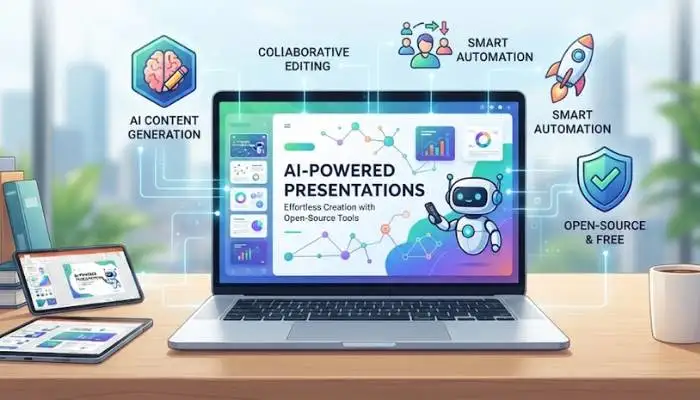
There are good options that cost absolutely nothing.
Slidesmith is an AI-powered presentation generator. You feed it a simple JSON file with a topic and a brief description, and it outputs a 25- to 30-page PowerPoint file. It uses a free AI text model to generate the content .
The tool comes with a built-in design system, multiple themes, and a complete narrative structure. It is best for developers or technically inclined users, but it shows what is possible without spending a dime.
Slidev AI is a web app that uses AI to create online presentations. It is designed for engineers and academics who want to quickly turn text-heavy content into clean, minimal slides .
The project has won awards and is part of the OpenMCP ecosystem. It is a good reference for how developers can build presentation tools. It is free and open-source.
StarryKit integrates with AI assistants like Claude Code and Codex. It lets your AI agent create editable slides, posters, and social graphics directly. You do not need to find a template first. The plugin uses your references as the starting point .
It supports export to PowerPoint, PDF, Google Slides, and several other formats. It is a good option for developers who already work in a command-line environment.
This is a Chrome extension that uses Gemini Nano, Chrome's built-in AI model. It generates a slide deck in markdown format from a text prompt, webpage, or PDF document. You can download the deck in markdown or export it as a PDF .
The catch is you need to enable Gemini Nano in Chrome's flags settings. But once you do, the tool is completely free with no API key required.
Some tools offer a limited free plan.
Gamma is an AI tool that turns a prompt into a web-native deck. It is one of the fastest ways to get from an idea to a shareable deck. The tool is good for internal updates and roadmap snapshots where speed matters more than presentation polish .
Gamma has a free tier with a set of one-time credits. The free output includes Gamma branding. Paid plans start around $8-$10 per month to remove branding and add analytics .
Canva is a drag-and-drop design platform with AI features. It can produce presentations, one-pagers, and visual assets from a large design library. The free plan is genuinely usable. Canva Pro is around $15 per month .
Canva is strong for visuals and external-facing decks, but it is a general-purpose design tool. It does not have live audience interactivity features.

Templafy offers a free add-in for PowerPoint. It lets you create, edit, and review presentations directly within PowerPoint using AI agents through chat .
The add-in is free for individual users. Templafy customers get additional features like connection to approved templates and company brand rules. The add-in is available from the Microsoft Marketplace.
PopAi claims to generate a complete presentation in 60 seconds. It integrates with ChatGPT and includes image generation. The free version covers basic presentation creation .
The trade-off is quality. The content can be generic, and design options are limited. PopAi works for internal presentations, quick proposals, or situations where speed matters more than polish. For anything client-facing, you will likely need to do some editing.
You May Also Read: Best Free Slideshow Templates for Digital Marketing in 2026
These tools are not free but offer features that can be worth the cost.
Beautiful.ai is a standalone presentation app that auto-adjusts layouts as you add content. It keeps design consistent across your team's decks. Paid plans start around $12 per month with a 14-day free trial .
The platform has a fixed design library, which makes decks look similar across teams. It also lacks tools for live audience engagement.
Plus AI integrates with Google Slides and PowerPoint. It generates content and suggests layouts without you leaving your familiar environment. The content quality is high and needs less editing than most other tools. Plans start around $10 per month with a short free trial .
| Tool | Platform | Cost | Format |
|---|---|---|---|
| Slidesmith | Command line, Python | Free (open-source) | PPTX |
| Slidev AI | Web app | Free (open-source) | Online slides |
| StarryKit Plugin | AI agents (Claude Code, Codex) | Free | PPTX, PDF, Google Slides |
| AI Muse Slide Deck Maker | Chrome extension | Free | Markdown, PDF |
| Gamma | Web | Free tier with branding | Web, PPTX, PDF, Google Slides |
| Canva | Web, mobile | Free tier | PPTX, PDF, Google Slides |
| Templafy Agent | PowerPoint add-in | Free | PPTX |
You do not need to spend money to get started with AI slideshow tools. There are several free and open-source options that can turn your ideas into polished presentations quickly.
If you are a developer, Slidesmith and Slidev AI give you full control. If you work in a browser, Gamma and Canva have solid free tiers. If you already use PowerPoint, the Templafy agent add-in is a good start.
Most of the free tools have some limits. They may include branding, limit the number of slides, or lack advanced features. For internal work, quick drafts, or early-stage ideas, they work perfectly. For high-stakes presentations, you will likely want to upgrade to a paid plan or spend time polishing the free output.
Depends on your need. Gamma turns prompts into web decks quickly. Canva is great for visuals. Slidesmith is free but needs some technical know-how. For most people, Gamma or Canva are the easiest to start with.
Yes. AI Muse Slide Deck Maker is a Chrome extension that turns webpages or PDFs into slides. It uses Gemini Nano and is free. You just need to enable Gemini Nano in Chrome settings first.
No. Most are web-based and require no coding. Just type a topic or upload a file. Tools like Gamma, Canva, and PopAi are for non-technical users. Slidesmith and Slidev AI are for developers.
Yes. Slidesmith and Slidev AI are open-source and have no branding. AI Muse Slide Deck Maker is also free and brand-free. Most commercial free plans include branding. You pay to remove it.
Yes. Most tools let you edit. Canva gives full design control. Gamma allows content edits. PowerPoint add-ins let you edit directly in PowerPoint. AI gives you a start. Always review and edit before presenting.