How to Protect Personal Data from AI Tools: A Simple Guide
AI tools collect more than you think. Every prompt. Every file. Every chat. It gets stored. Used for training. A...
Gadgets & Technologies Are Together
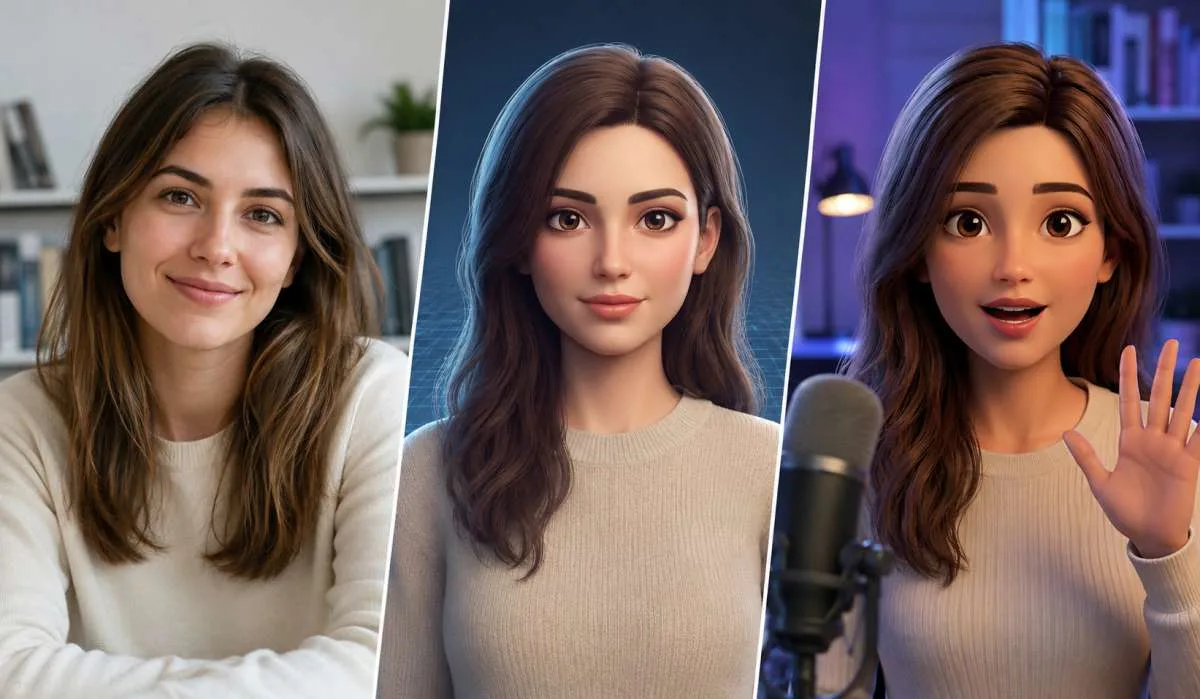
AI avatars are everywhere now. People use them for videos, social media, and presentations. You do not need to be a tech expert or spend money to make one. There are several free tools that let you create a digital version of yourself in minutes.
This guide covers how to create an AI avatar for free using different tools. We look at photo-based avatars, talking avatars, and 3D options. No complex setup. Just simple steps.
If you want a 3D avatar that looks like you, there are free tools that turn one photo into a full digital character.
Read More: How to Use AI for Content Writing the Right Way
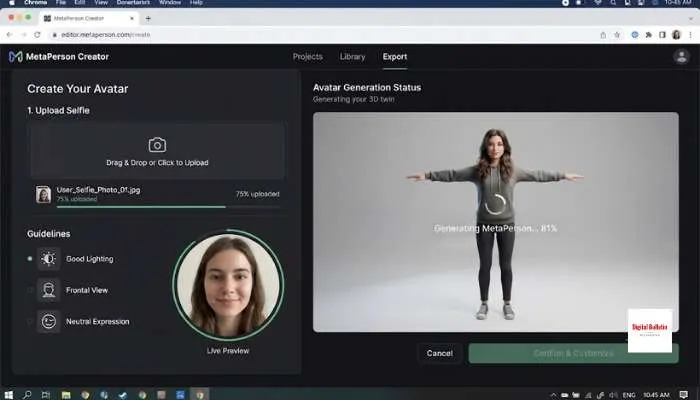
Pippit offers a similar service. You upload a photo, and the AI creates a lifelike 3D model in seconds. The tool is completely free with no watermarks or hidden fees .
You can export high-resolution avatars for gaming, social media, or marketing. The interface is simple. Just upload, adjust the crop, and download .
These tools let you create a talking avatar that moves and speaks.
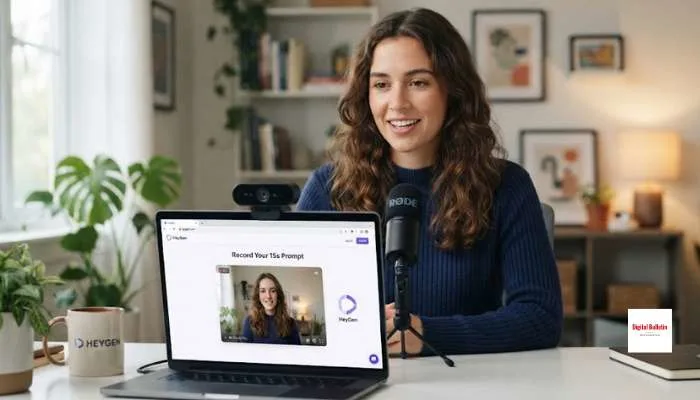
HeyGen is one of the most popular AI avatar platforms. Free users get one Digital Twin avatar slot, which includes up to 500 different looks .
The avatar creation process takes about 15 seconds. You turn on your webcam, follow a short prompt, and record for 15 seconds. The system captures your appearance, voice, motion, and consent in one recording .
The free plan includes video generation with your avatar. You can type a script and your avatar will speak it in 177+ languages and dialects .
Technical tips for recording :
Google recently made AI avatars free for personal Google account users in the US . Free users get 10 monthly video generations .
You can pick a default avatar from Google's curated gallery, or build your own custom one using Nano Banana 2. Scripts and voiceovers support 24 languages .
If you already have Google Slides decks, Vids can turn that presentation into a storyboard and write a script for an avatar to deliver on screen .
Pippit also has a free tool that turns a still image into a speaking character with natural lip-sync. You upload a photo, type a script or upload audio, and the AI makes the photo talk .
The tool supports multiple languages, accents, and gender options. You can add captions and export as MP4 or MOV .
If you want complete control and no limits, there are open-source tools you can run on your own computer.
VlogMe offers a public Replicate model that creates a vertical talking-avatar video from a photo and speech audio. The free demo trims audio to the first 10 seconds .
You upload a face photo and a spoken audio track. The output is a vertical 9:16 MP4 video where the person speaks the audio. Best results come from clear, front-facing photos with the face centered .
Important: Every Replicate generation includes a watermark that says "Created by VlogMe.AI" .
HeyGem-lite is an open-source AI avatar project developed by Duix.com. It supports both Windows and Ubuntu deployment .
System requirements :
The setup involves Docker installation and multiple services. This is for technically skilled users who want to run avatars locally with no subscription fees .
You May Also Read: How to Choose the Best VPN Service in 2026
| Tool | Free Option | Limits |
|---|---|---|
| HeyGen | 1 Digital Twin, video generation | Limited credits |
| Google Vids | 10 video generations/month | US only for now |
| MetaPerson | First avatar free | Credits after first |
| Pippit | Unlimited avatars | No watermarks |
| VlogMe | 10-second video demo | Watermark included |
You have several good options for creating an AI avatar for free. If you want a 3D avatar from a photo, try MetaPerson Creator or Pippit. If you want a talking avatar for videos, HeyGen and Google Vids are the easiest to use. If you are technically skilled and want no limits, open-source options like HeyGem-lite give you full control.
Start with the free tiers. Test what works for your needs. Upgrade only when you hit the limits. Most people will find the free options more than enough.
Pippit is the simplest. Upload a selfie. It creates a 3D model in seconds. No sign-up. No watermark. MetaPerson is also good but your first avatar is free, later ones cost credits.
HeyGen is the most popular. Sign up free. Turn on your webcam. Record 15 seconds of you speaking. It captures your look and voice. Type a script and the avatar speaks it in 177 languages. Google Vids also has free talking avatars but only for US users right now.
Yes. Pippit AI Talking Photo turns any image into a speaking character. Upload a photo, type a script, and the AI makes it talk with lip-sync. Free export as MP4. VlogMe has a free demo but limits videos to 10 seconds.
A clear front-facing photo with your face centered. Good lighting, no harsh shadows. For video avatars, record in a quiet place. Look at the camera. Speak naturally with visible facial expressions.
Yes. HeyGen and Google Vids are for professional use. Free versions are good for testing. Paid plans remove watermarks and increase limits. Check the terms before using commercially.
Pippit is free with no limits or watermarks. Open-source tools like HeyGem-lite are free but need technical setup. Most commercial tools have free tiers with limits on credits, watermarks, or country access.
Yes. HeyGem-lite is open-source. Runs on Windows and Ubuntu. You need a good NVIDIA graphics card, 32GB RAM, and about 100GB free space. Docker setup is required. Not for beginners but gives full control with no fees.
Most tools take seconds. HeyGen creates your avatar in about 15 seconds. Pippit generates a 3D avatar in seconds. Video generation from scripts takes a few minutes depending on length.
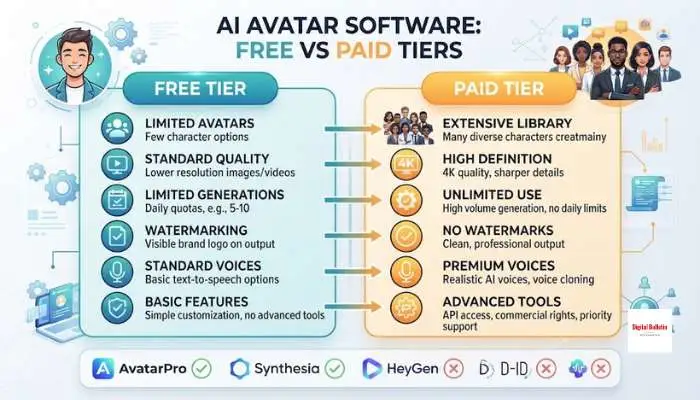
Free tiers limit the number of avatars, video generations, export quality, and add watermarks. Some have country restrictions. Paid plans remove watermarks, increase limits, and add higher resolution.
If you want a 3D avatar from a photo, start with Pippit. If you want a talking avatar for videos, start with HeyGen. If you are technically skilled and want no limits, try HeyGem-lite. Free tiers are enough for most people.