Hybrid Cloud Solutions for Businesses: A Complete Guide
Businesses today face a choice. Move everything to the public cloud. Keep everything on-premises Or find a middle ground. That...
Gadgets & Technologies Are Together
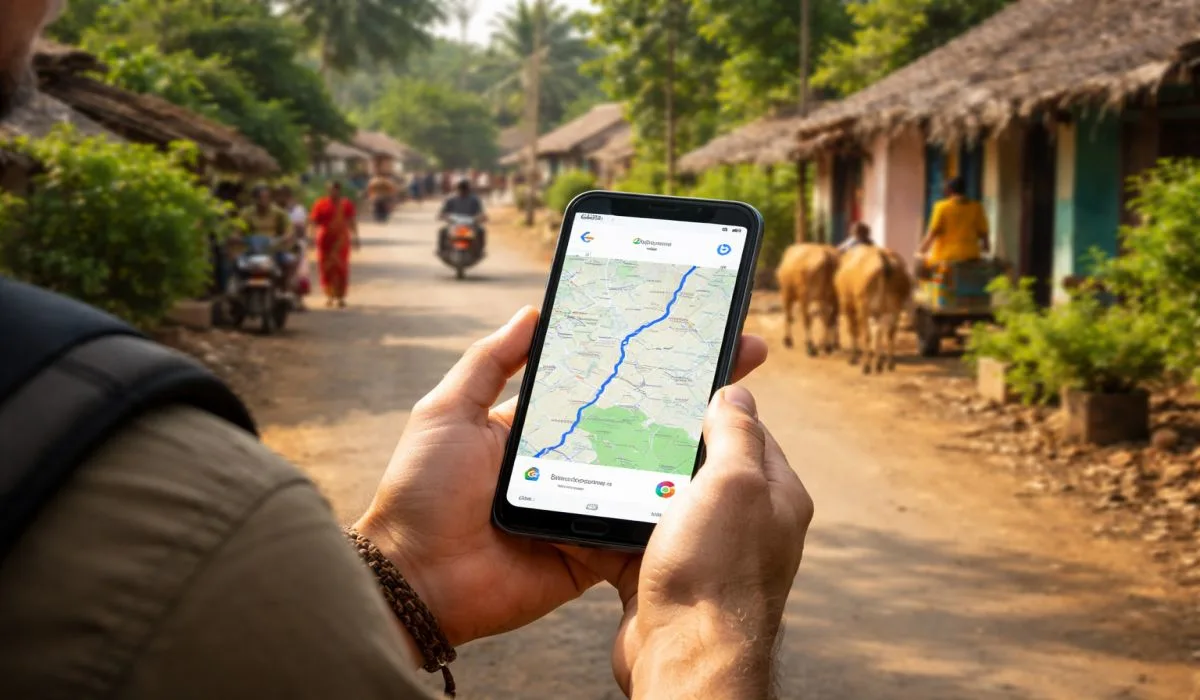
Open Google Maps app on Android or iPhone. Tap profile top right. Pick Offline maps. Search Delhi or your city. Download over home Wi-Fi – saves Jio pack. No signal needed for Delhi-Agra turns or Rajasthan village paths. 200 MB covers Mumbai trains. Update monthly for new roads. Works great in rains or festivals.
India has places where mobile signal drops fast, like hills in Himachal or back roads in Rajasthan. Offline Google Maps keeps working there because the map sits on your phone storage. You get turn-by-turn voice guides for driving, walking paths, and search for shops or hotels inside the saved area.
Think of a trip from Delhi to Agra. You download the route map at home on Wi-Fi. On the road, no signal needed it shows every turn clearly. This stops you from stopping to check data or asking strangers. Battery lasts longer too since no live updates run in the background.
People save money on roaming when going to nearby states. For example, download Maharashtra map before a Pune trip from Mumbai. Updates come free when back online, so maps stay fresh with new roads or speed bumps.
Read More: SaaS Industry Sees Record Funding as AI Adoption Grows
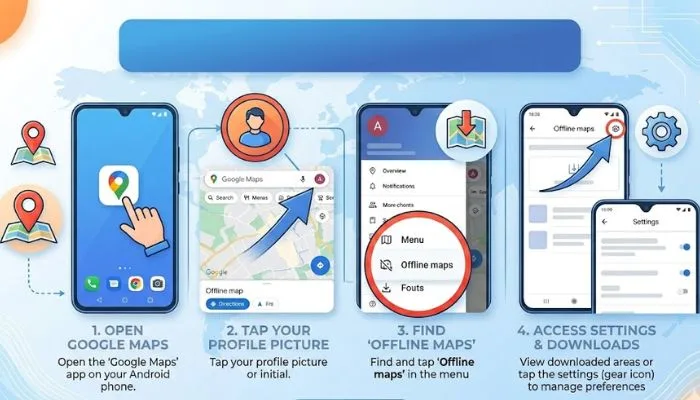
Most Indians use Android phones like Samsung, Realme, or Xiaomi. Follow these steps on your phone. Make sure Google Maps app is updated from Play Store first.
Open the Google Maps app. Tap your profile picture at top right. Scroll down and hit Offline maps. Now you see two ways – quick download or pick your own.
For quick way, search a place like "Delhi". At bottom of screen, swipe right on the place card. Tap Download. It saves a ready area around that spot, good for city trips.
To pick your own map, tap Select your own map. A box shows up on screen. Drag and zoom it to cover what you need – say, Delhi to Noida including Yamuna bridge. Smaller box means less storage, bigger covers more roads.
Hit Download. Wait till it finishes, usually 5-10 minutes on Wi-Fi. Name the map if you want, like "Delhi Trip". It goes to Your offline maps list.
What if storage is low? Go to Settings in offline maps. Pick Device then SD card if your phone has one. This moves maps there. Files take 100-500 MB for a city like Delhi, less for one area.
You May Also Read: Fintech Startups Attract Billion Dollar Investments in 2026
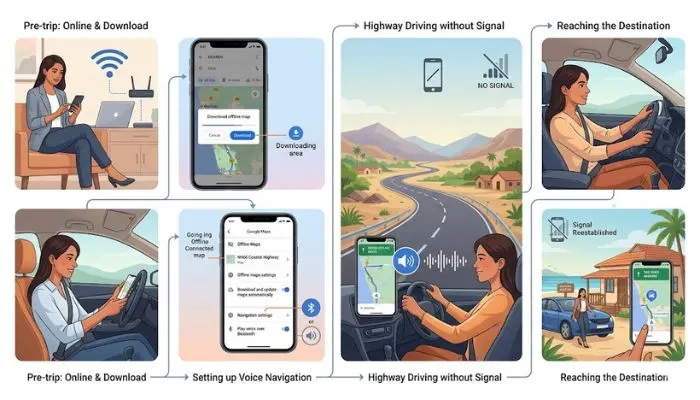
Before Holi trip to Mathura, download night before. Test walk to nearby shop offline. For Kerala backwaters, save Alleppey area. Monsoon time? Download extra for rain blocks. Share map with friends via link before trip. Apps like Maps. Me extra, but Google best for voice in Hindi.
| City | Map Size | Good For |
|---|---|---|
| Delhi | 250 MB | NCR drives |
| Mumbai | 200 MB | Local trains |
| Bangalore | 180 MB | Tech parks |
| Agra | 100 MB | Taj visit |
| Goa | 300 MB | Beach roads |
You now know how to use offline Google Maps fully for trips anywhere in India. It saves your Jio or Airtel data and works on Android phones or iPhones without any network. From Delhi traffic to Rajasthan desert roads, download areas ahead and get voice directions that guide every turn. Try it on your next drive to Agra or Mumbai local trains – no more lost time hunting signals. Keep maps updated monthly for fresh roads, and travel feels easy every day.
Tap profile in app, hit Offline maps, search Delhi, download over Wi-Fi.
Yes, voice guides Delhi-Agra turns after you save route.
200 MB for trains and ferries, shrink box if tight.
Shows paths clear, even no signal – update for fresh roads.
Go online, Offline list, tap Update – two minutes.